Home Features What's new About Pricing Download Support Download

What's new in F3

Every feature update to F3 since August, from the store release notes. Android closed beta updates are marked; bug fixes are left out.

Android · Closed beta

120 fresh daily quotes, every famous line checked

Fewer repeats, plus reminders on tomorrow's plan with Urgent alarms, carried into FOCUS the next morning.

  • Android

Join the Android beta

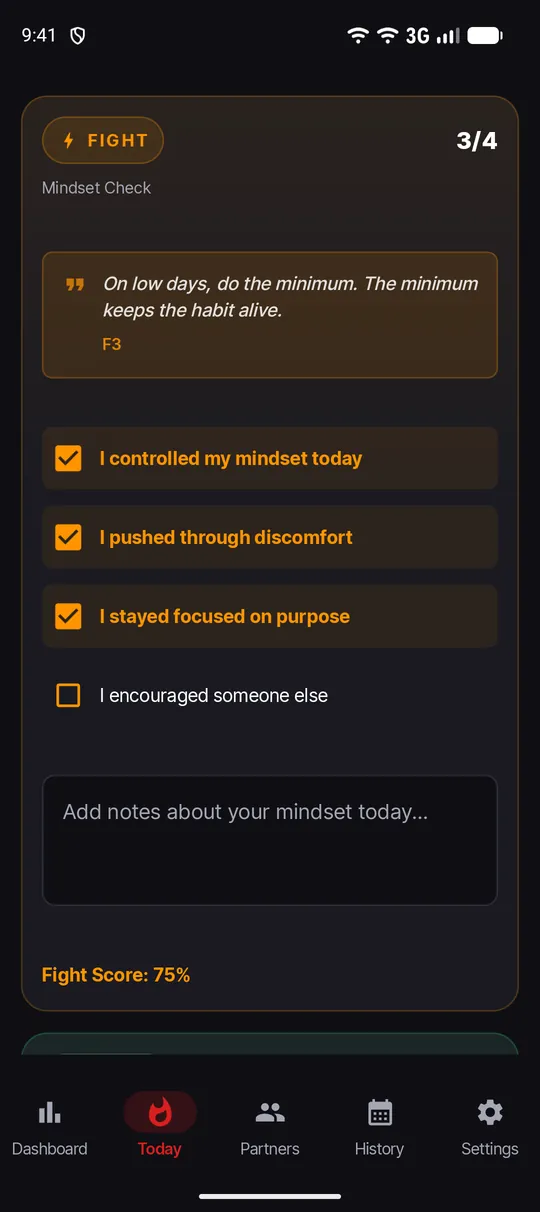
F3 on an Android phone: the FIGHT check with a daily quote and three of four checkpoints done
From the app on the Android emulator (closed beta build)

F3 now counts your strong days as wins

Reach your daily score and F3 logs the day as a win, and syncing between your devices is much faster.
  • iPhone

Get it on the App Store

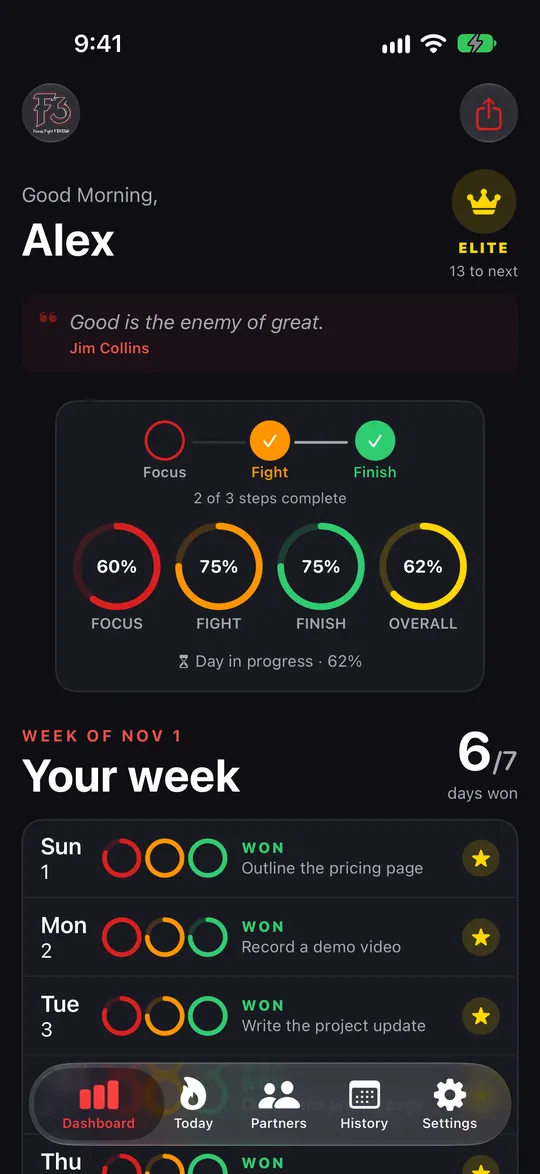
F3 Dashboard on iPhone: Focus, Fight and Finish rings and 6 of 7 days won this week (demo data)
From the app on the iPhone simulator (current version, demo data)

F3 opens into two pages on iPhone Duo

Unfold your phone to see today's FOCUS tasks on one side and your plan on the other.
  • iPhone
  • iPhone Duo

Get it on the App Store

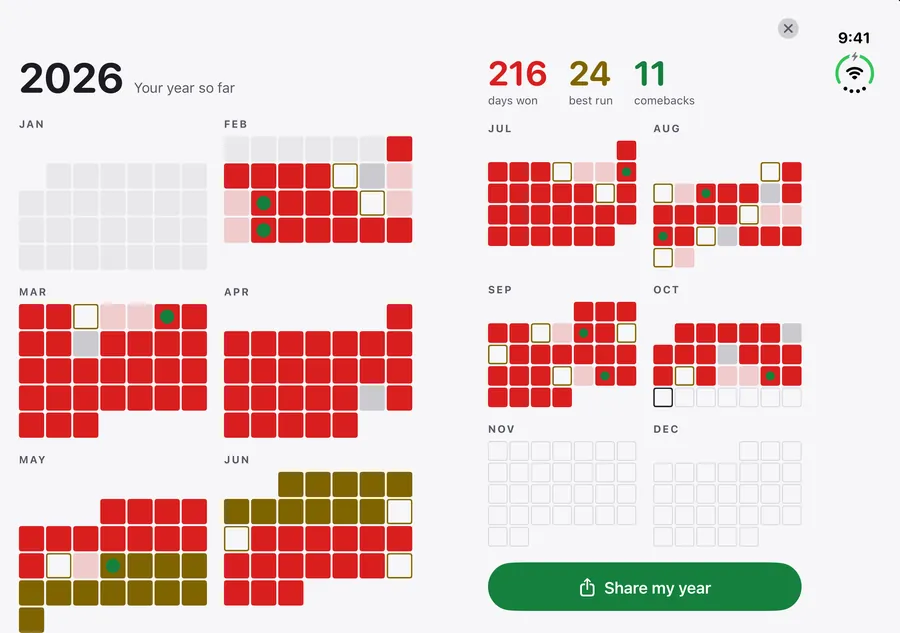
F3 on iPhone Duo with the inner display open: your year as a two-page spread of won days
From the app on the iPhone Duo simulator

Android · Closed beta

F3 opens into two pages on Android foldables

On Galaxy Fold and Pixel Fold, Today sits beside your plan, with a navigation rail when the phone is open.
  • Android

Join the Android beta

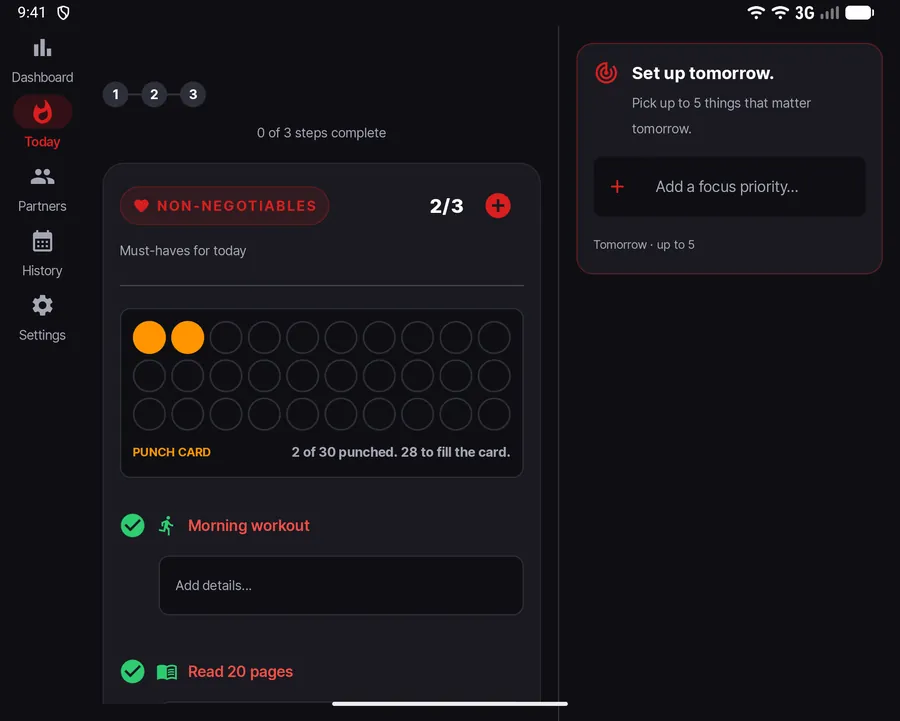
F3 on an open Android foldable: Today with the Punch Card on the left page and Set up tomorrow on the right
From the app on the Android foldable emulator (closed beta build)

Urgent tasks now ring like an alarm

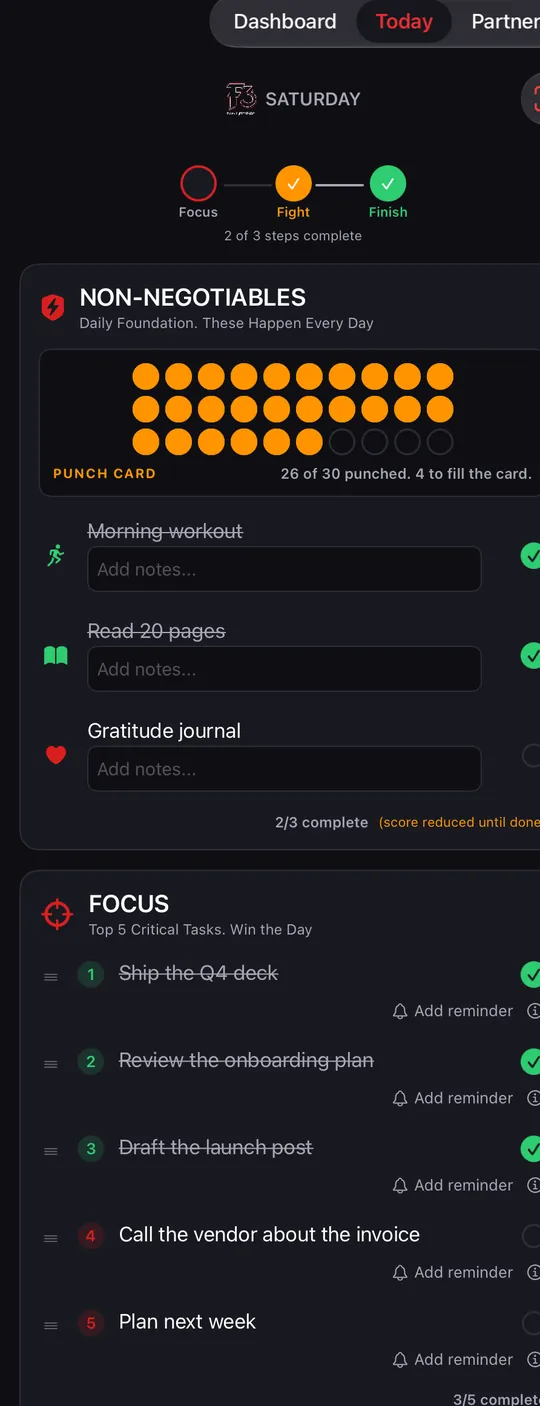
Tap the (i) on any FOCUS task to set a priority, add a note, or mark it Urgent so it rings even on Silent.
  • iPhone

Get it on the App Store

F3 Today on iPad: Non-Negotiables with the Punch Card and five FOCUS tasks, each with a reminder (demo data)
From the app on the iPad simulator (current version, demo data)

Reminders now work from your very first day

New installs get reminders right away, and quiet hours keep F3 silent from 10pm to 7am unless you change them.

  • iPhone

Get it on the App Store

Choose light or dark mode in F3

Pick Light, Dark or System under Settings, Appearance, on your iPhone, iPad and Mac.

  • iPhone
  • Mac

Get it on the App Store

Plan tomorrow's priorities the moment you log today

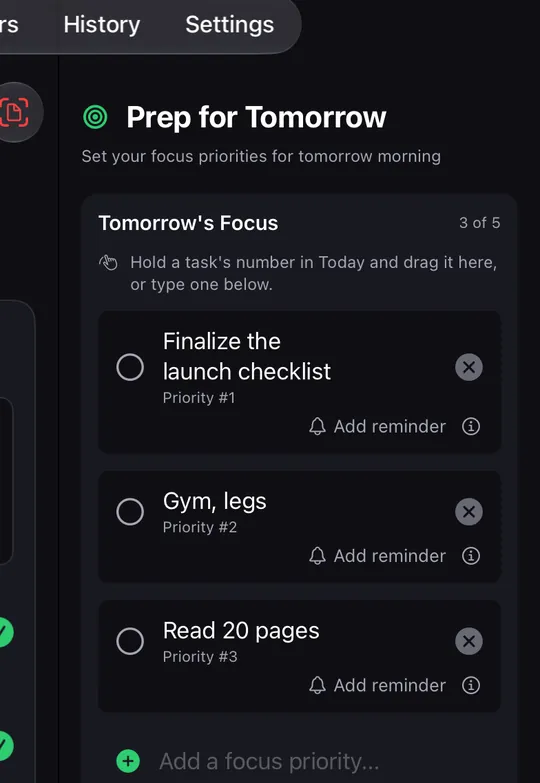
After you log your day, F3 asks for up to five priorities that decide tomorrow, right on the Today page.
  • iPhone
  • Mac

Get it on the App Store

F3 Prep for Tomorrow on iPad: three priorities planned for the next morning (demo data)
From the app on the iPad simulator (current version, demo data)

Follow along: RSS or JSON Feed. Full version history is on the App Store.