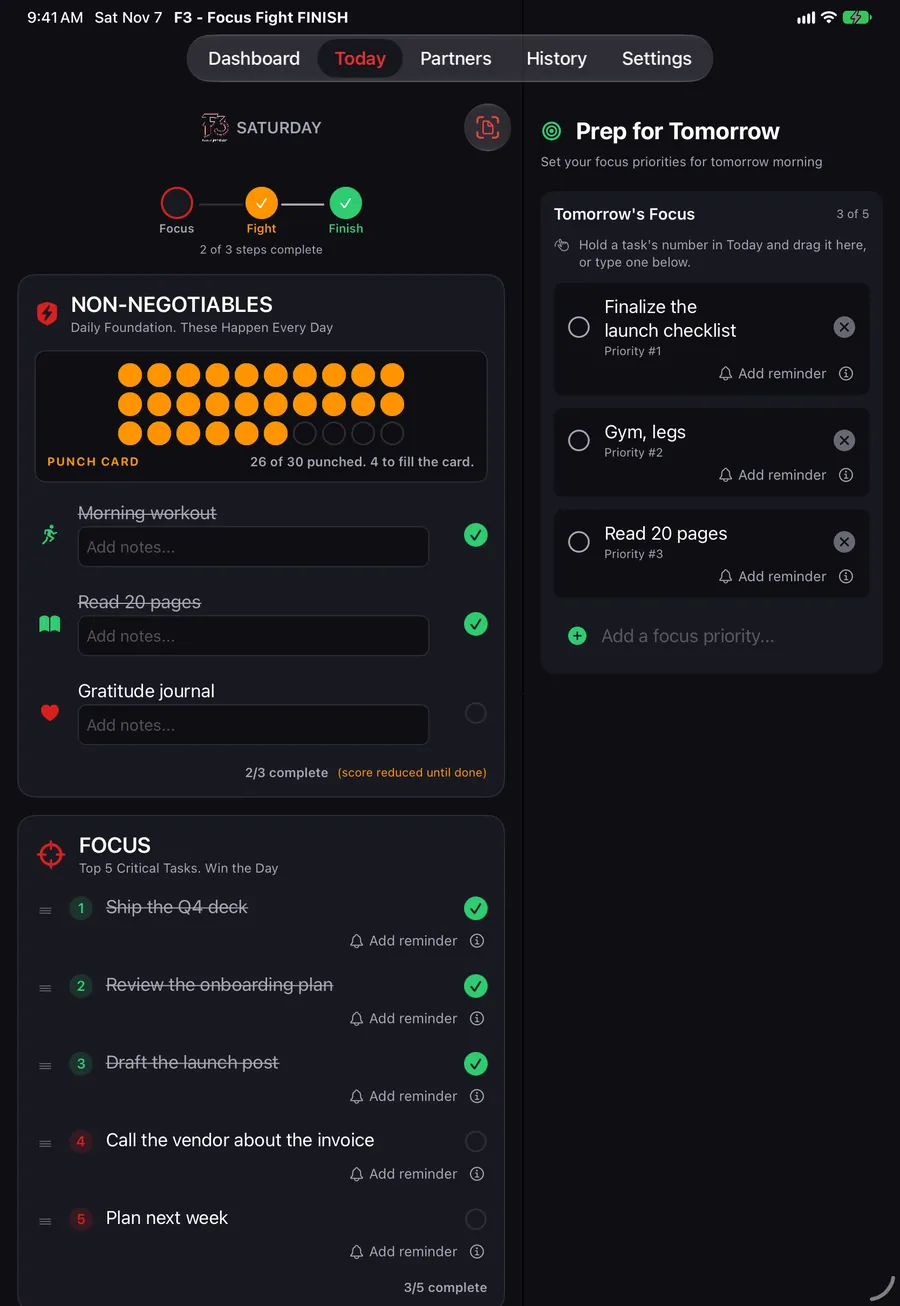
Win tomorrow tonight
You don't just complete today. You lock in what matters tomorrow, before you close your eyes. The night before is where winners are made.
Plan when you log your day
The moment you log your day, F3 asks for the priorities that decide tomorrow, right on the Today page, with up to five slots. Choose when it asks in Settings: after you finish your day, an evening reminder, or a set time. The next morning they're waiting as Today's Focus.
Works with Apple Reminders
Turn on Top 5 in Reminders and your five FOCUS tasks show up in Apple Reminders. Check one off in either app and it is done in both. Tap the (i) on any task to set a priority or add a note.
Urgent tasks ring like an alarm
Mark a task Urgent and it rings at the time you pick, even on Silent or in a Focus (iOS 26.1 and later).
On Mac too
Plan tomorrow on your Mac as well, and see it as Today's Focus the next day.
Questions
How many priorities can I plan for tomorrow?
Up to five.
Do my F3 tasks show up in Apple Reminders?
Yes, when you turn on Top 5 in Reminders. Check a task off in either app and it's done in both.